Features
Everything event medical teams need for professional operations, from dispatch to post-event reporting.
Operational Tracking
Comprehensive tracking for all operational elements in one unified interface.
Call Tracking
Monitor all incidents with real-time status updates, patient information, and transport decisions.
- • Patient demographics and chief complaints
- • Location and assigned team status
- • Treatment and transport documentation
- • Call history and timestamps
Team Tracking
Real-time visibility into every team's location, availability, and response history.
- • Current status and location
- • Time at status and response times
- • Call history and assignments
- • Team members and credentials
Clinic Tracking
Manage fixed medical posts with patient capacity monitoring and 911 escalation tracking.
- • Patient totals and bed availability
- • 911 transport tracking
- • Staffing levels and capabilities
- • Real-time capacity updates
Equipment Tracking
Monitor equipment requests and availability across your venue.
- • Backboards, wheelchairs, and gurneys
- • AEDs, airway bags, and other portable medical supplies
- • Current location and assignment
- • Checkout history and accountability

Dispatch Operations
Quick Call Creation
Create new incidents in seconds with streamlined forms. Pre-fill common chief complaints, locations, and priorities for rapid data entry during active events.
Keyboard Shortcuts
Navigate the entire dispatch interface without touching the mouse. Essential keyboard commands for high-stress environments.
- Create calls, assign teams, and update statuses
- Switch between dispatch views
- Create your own custom shortcuts
Real-Time Status Updates
All changes sync instantly across dispatchers, supervisors, and mobile users. See team availability, call assignments, and status changes as they happen.
Add Call
Venue & Mapping
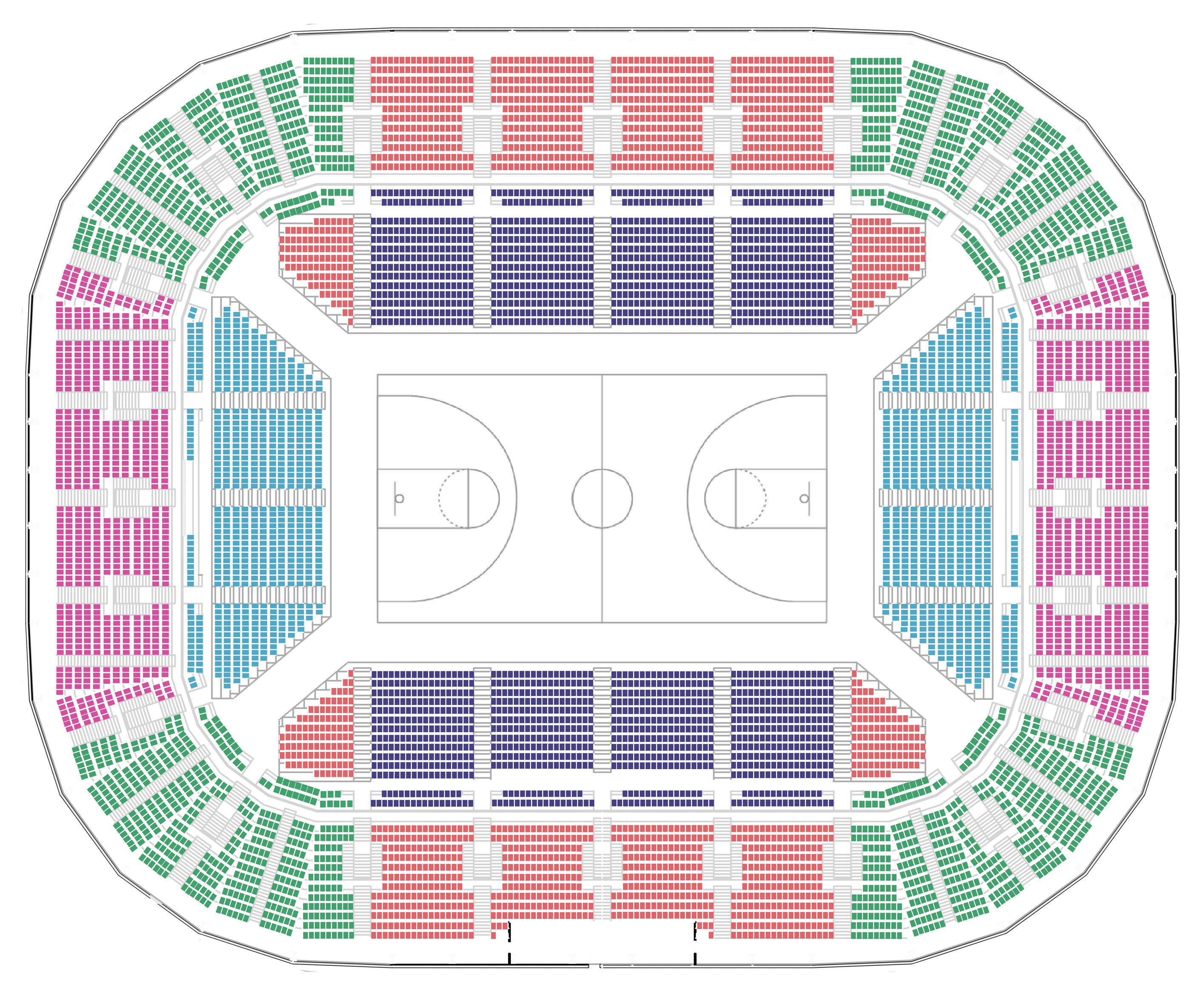
Custom venue layouts with interactive features for comprehensive spatial awareness.
Interactive Venue Maps
Upload custom venue layouts and mark medical posts, staging areas, and operational zones. Click to place incident markers and view team locations.
- Upload venue floor plans or site maps
- Mark posts, zones, and equipment locations
- Place incident markers with one click
- Show team positioning in real-time
Venue Presets
Save complete venue configurations as reusable templates. Start recurring events in minutes with pre-configured maps, teams, equipment, and posting schedules.
- Organization-specific venue library
- Pre-configured team rosters and posts
- Load complete event setup instantly
Locations
Scheduling & Posting
Custom Posting Schedules
Create organization-specific posting schedules that match your operational model. Define time blocks, posts, and staffing requirements.
- Multi-day event scheduling
- Time block templates (shifts, rotations)
- Post-specific staffing requirements
- Dropdown team assignment
Autoposting Support
Assign teams to their posts with one click. Make real-time adjustments and repost updated assignments instantly.
- One-click post schedule creation
- Adjust assignments during active events
- Repost teams with updated locations
- Shift change automation
Schedule
Reporting & Analytics
Event Summary Dashboard
Comprehensive end-of-event reports with key metrics, call frequency analysis, and team performance data. Export for QA review and continuous improvement.
- Total calls and patient contacts
- Clinic deliveries and venue transports
- Call frequency across event duration
- Calls by team with response metrics
Complete Activity Logs
Full timestamped logs of every team activity and call recorded during the event. Searchable, filterable, and exportable for documentation.
- Team activity logs with timestamps
- Complete call records and outcomes
- Status changes and assignments
- Searchable and filterable views
Event Summary: Summer Concert (Sept 20, 2025)
Full Event Reports
Export complete event documentation with patient information, team activities, and operational metrics. For internal use, QA review, and record retention.
Includes:
- All call records with patient data
- Team rosters and response times
- Equipment usage and tracking
- Timestamped activity logs
- Clinic and transport statistics
De-identified Reports
Generate de-identified summaries for sharing with venues, promoters, or partner agencies. Review outputs against your local legal, privacy, and clinical policies before external sharing.
Designed for lower-risk sharing:
- Aggregate call totals and metrics
- Chief complaint categories
- Response times and coverage data
- No patient names, ages, or demographics
- No identifying call details
Compliance & Data Control
HIPAA Compliance*
Self-hosted deployment on your organization's Firebase/Google Cloud project allows for HIPAA-aligned operations.
- Sign a Google Cloud HIPAA BAA
- Enable covered services (Firestore, Auth, Storage)
- Follow deployment guide security configuration
- Maintain audit logs and access controls
Data Control
Your organization owns and controls all operational data. No third-party hosting, no shared infrastructure.
- Deploy to your own Google Cloud project, or self-host on PocketBase with no cloud account required
- Manage access controls and authentication
- Export data for QA and reporting
- Retain records per your policies
* The CrowdCAD team, hereafter "CrowdCAD", is not offering legal advice, and nothing here is offered as a guarantee of or warranty for legal or regulatory compliance, including HIPAA. Whether your deployment meets HIPAA standards, or any other applicable law, depends on your organization's own configuration, policies, and practices, including but not limited to, data security and data management. CrowdCAD is an open-source software and offered "as is". CrowdCAD further disclaims any and all liability for use of its products. Please consult with legal counsel to evaluate your organization's specific obligations and compliance requirements.